
Great presentations don’t start with slides, they start with structure. When your ideas flow clearly, your message becomes easier to follow, remember, and act on.
In this guide, you’ll learn exactly how to structure a presentation using proven frameworks, real-world presentation structure examples, and practical techniques you can apply instantly, whether you’re building a pitch deck, strategy presentation, class lesson, or client proposal.
Example Of a Well‑Structured Presentation
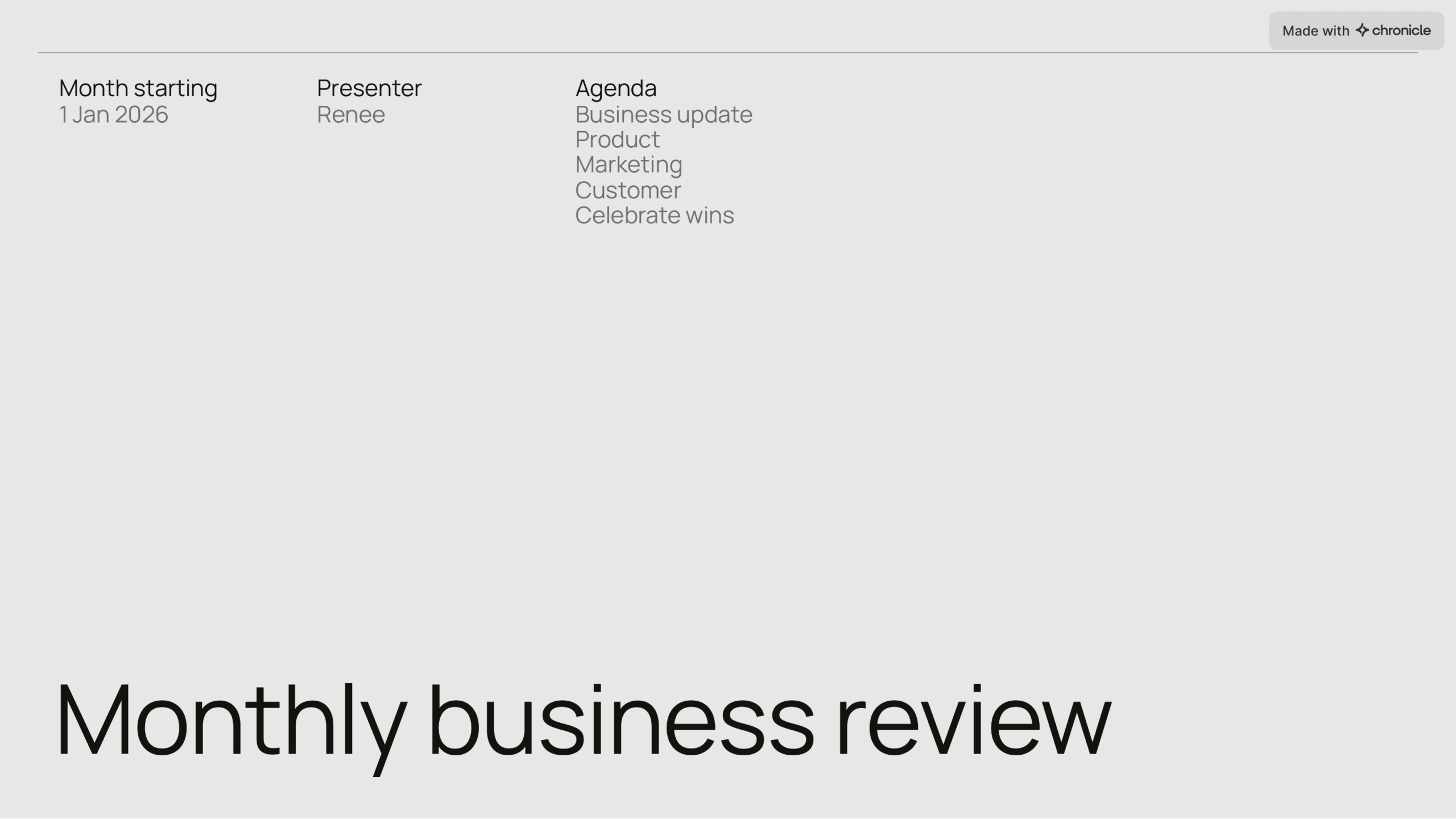
Agenda
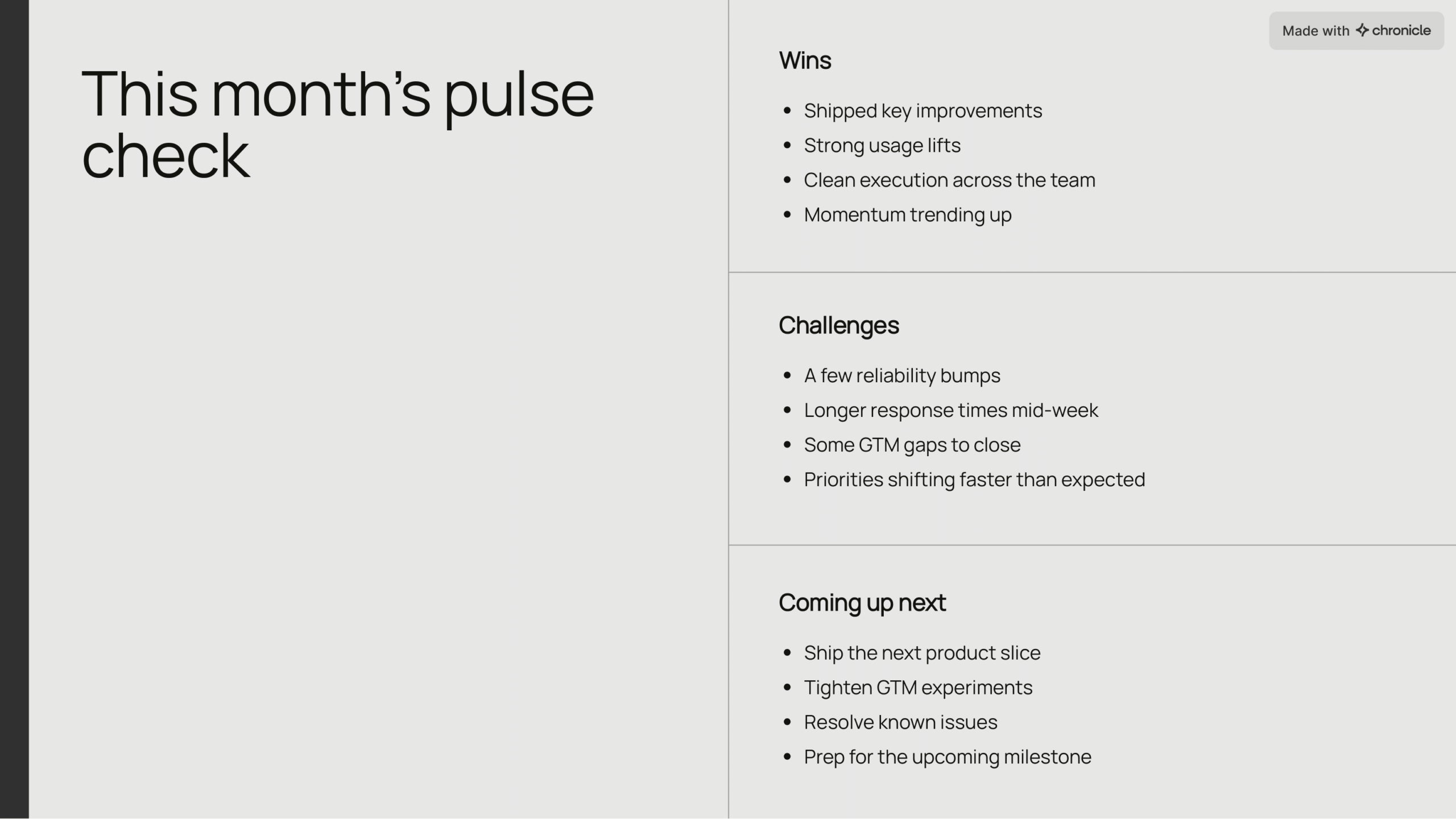
Summary
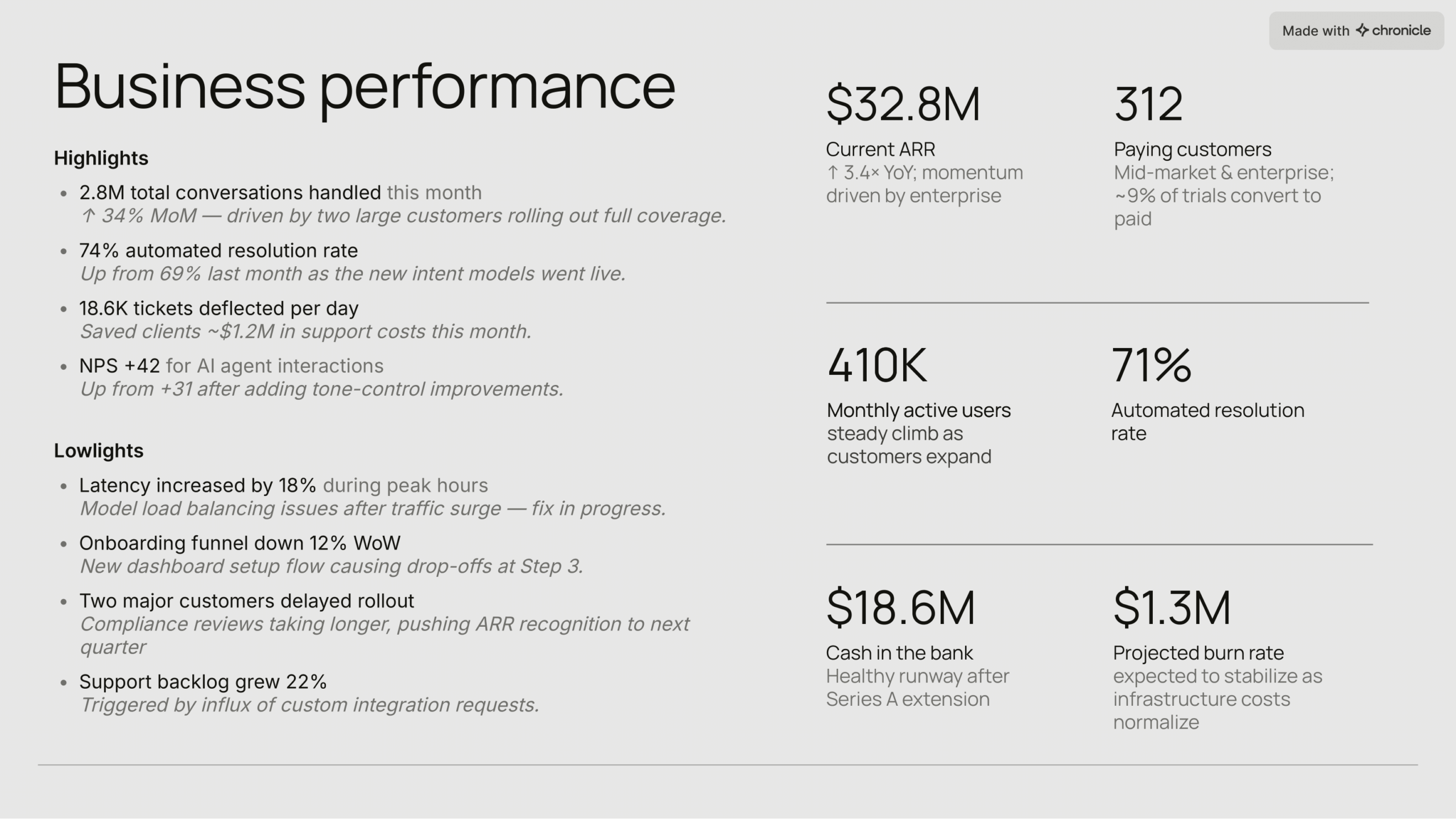
Metrics overview

Highlights
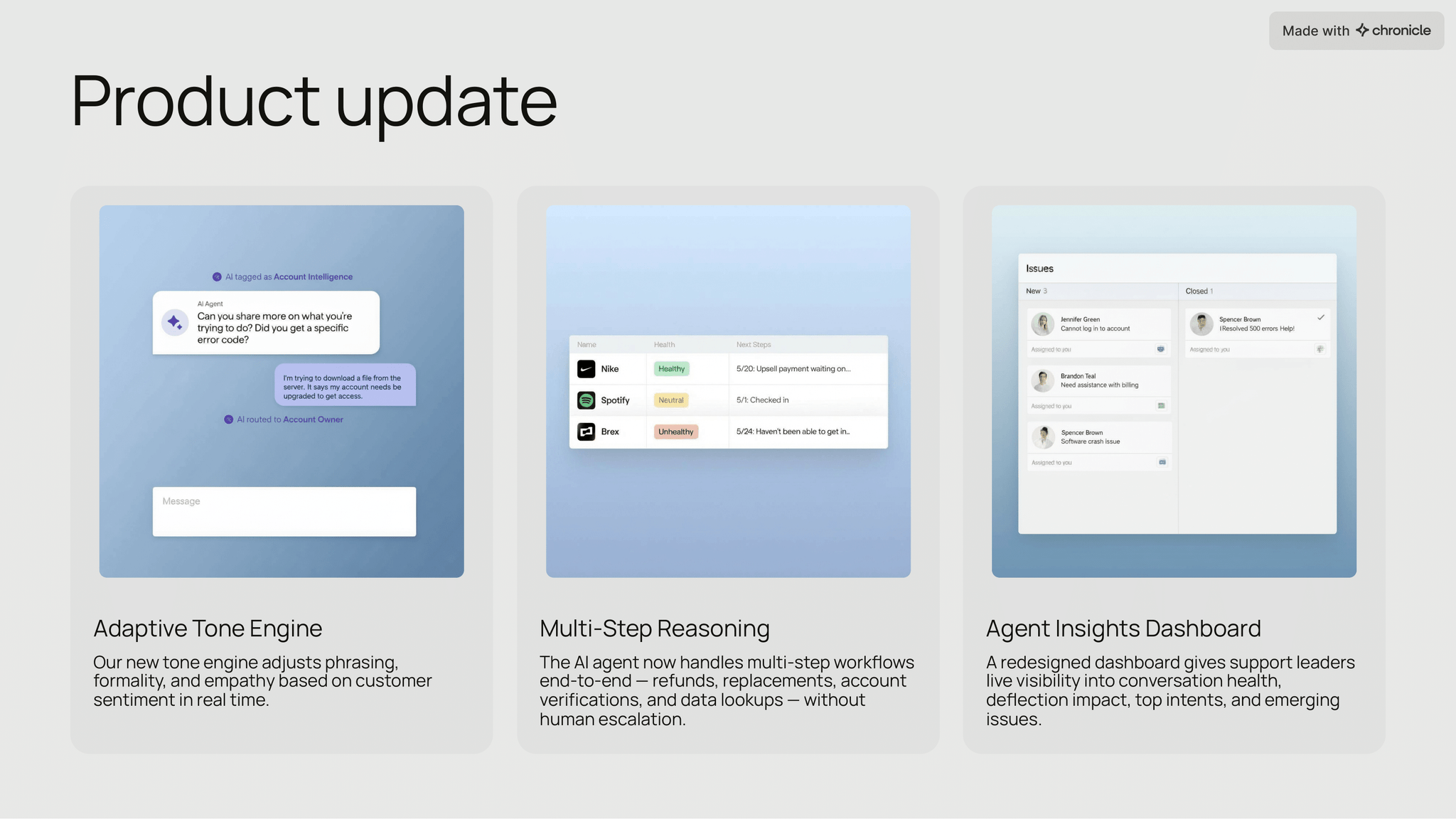
Deep dive: Product
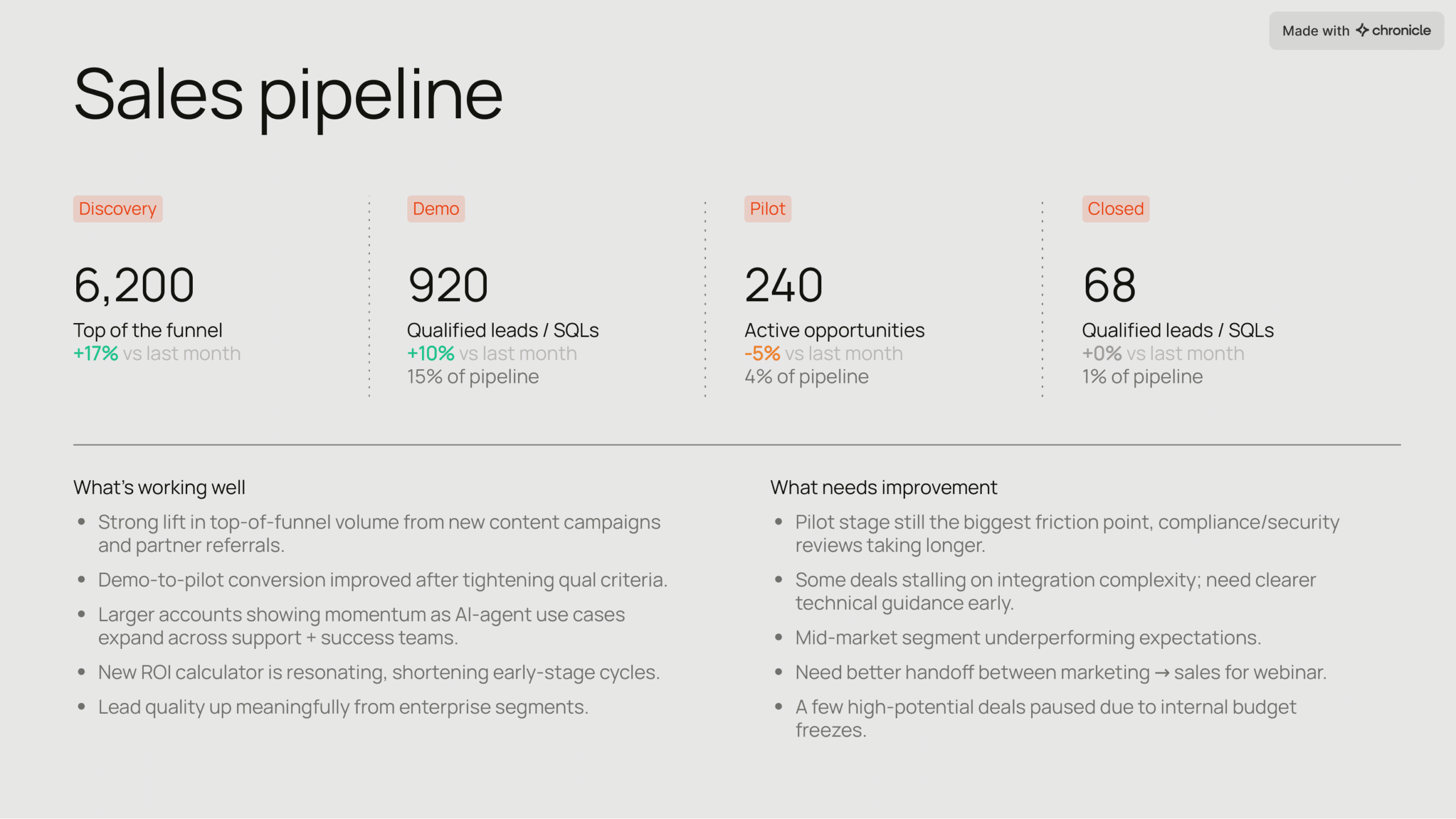
Deep dive: Sales
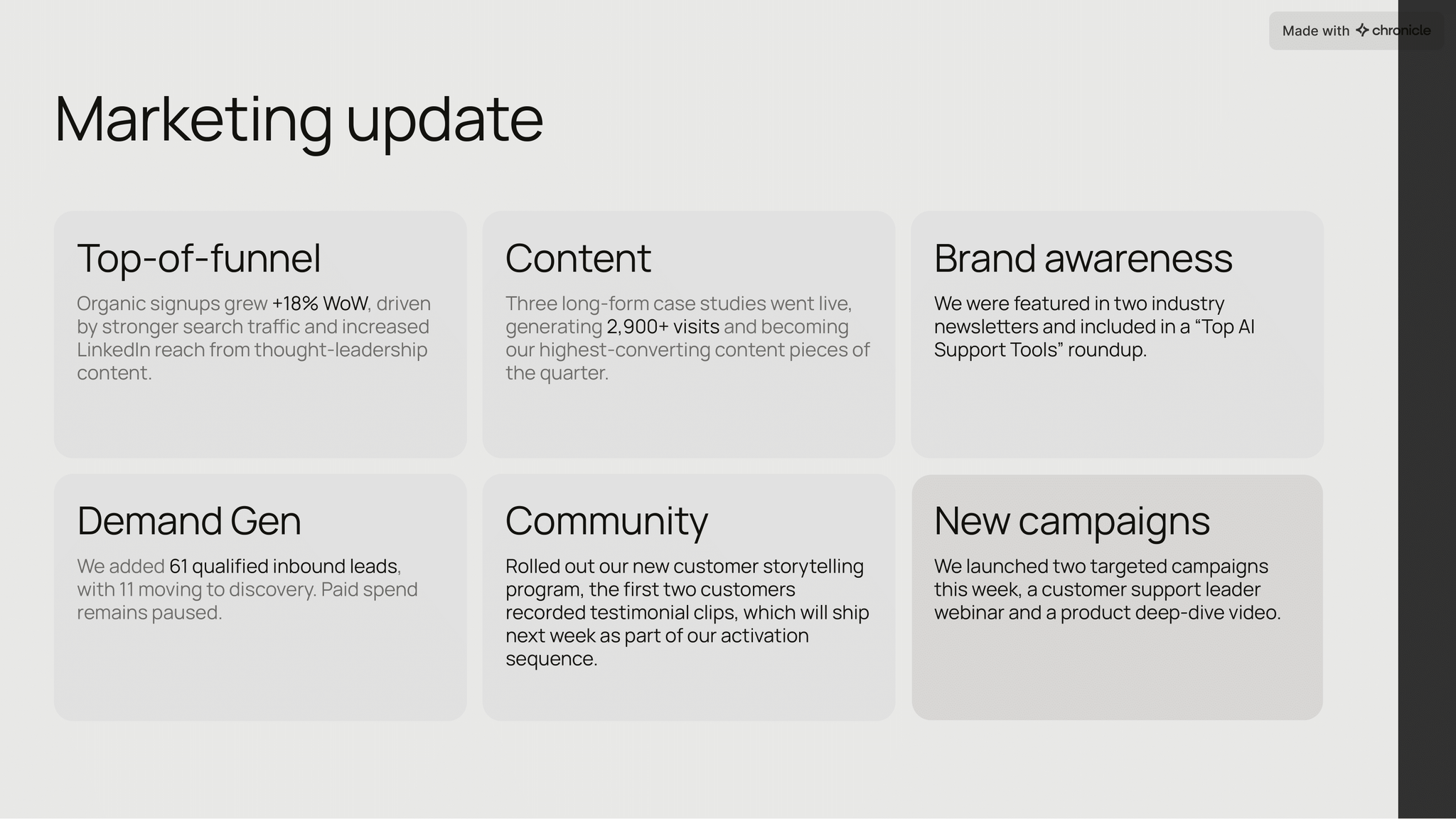
Deep dive: Marketing
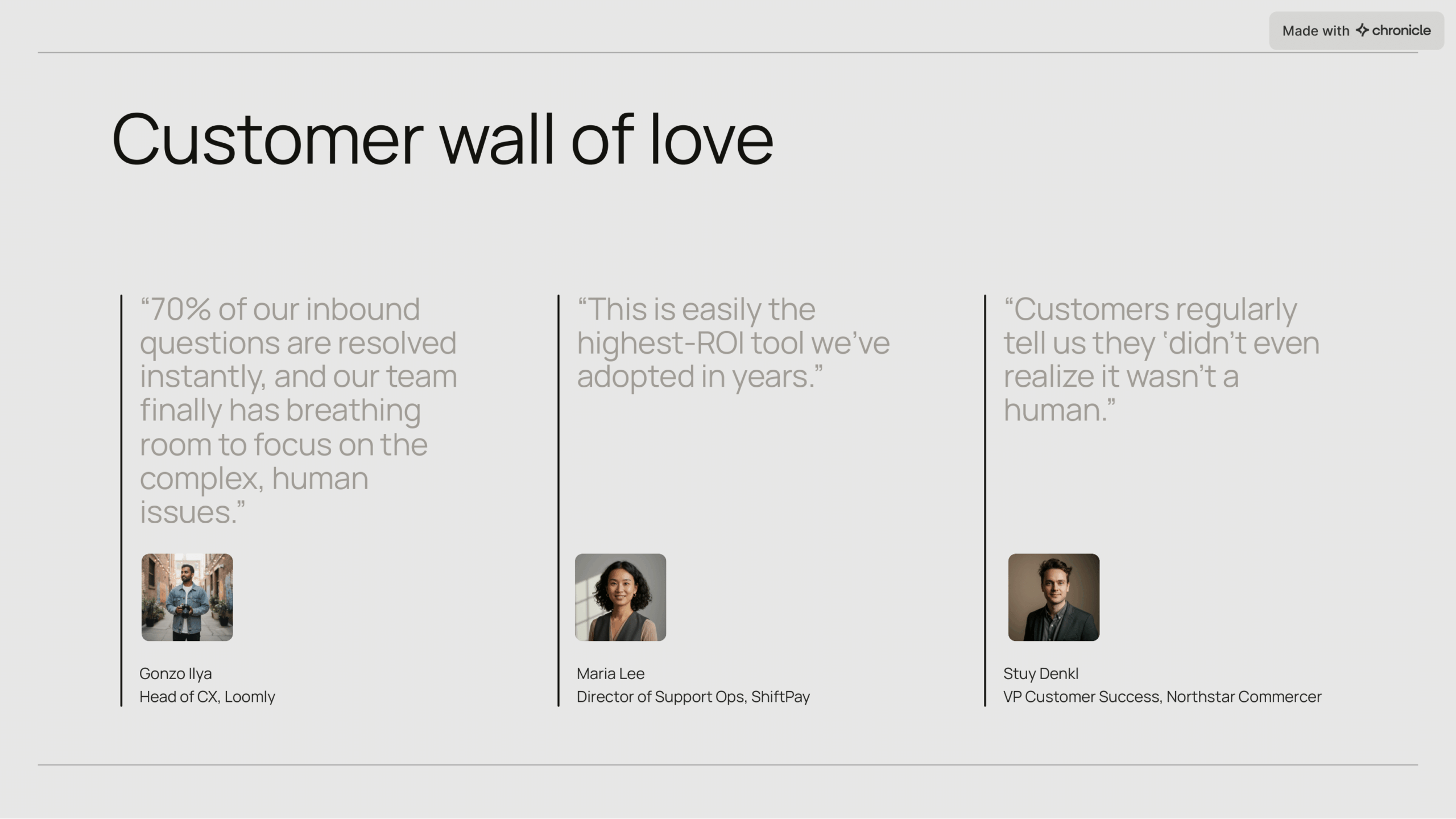
Customer feedback
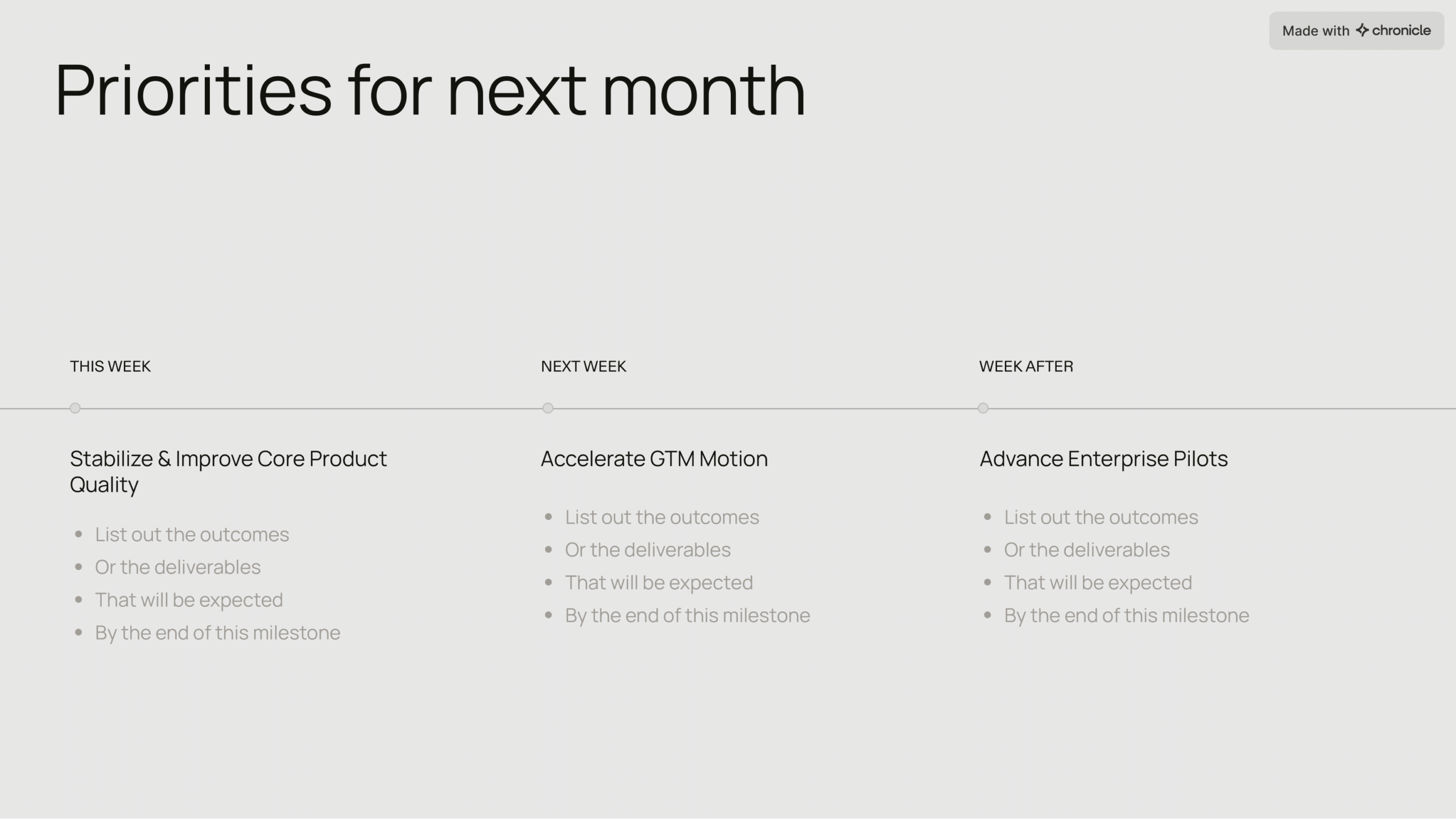
Next steps and roadmap

Team shoutouts
Why Presentation Structure Matters
A strong presentation structure is what transforms scattered ideas into a compelling narrative.
-
It improves clarity, memory, and persuasion
-
It makes complex ideas easier to follow
-
It helps your audience anticipate where the story is going
-
It reduces cognitive load and creates momentum
A well-structured presentation doesn’t just communicate information — it guides your audience through a journey.
Core Elements of a Presentation Structure
Most successful talks, regardless of topic or format, share the same basic backbone. You can adapt it to your context, but these three elements almost always appear in some form: introduction, main body, and conclusion.
Introduction: Hook, Topic, Purpose
The introduction does more than “say hello.” It frames why your audience should care and what they’ll get if they pay attention. Strong presentation introduction techniques usually include three parts:
-
Hook – an opening line that grabs attention (a story, statistic, question, or bold statement).
-
Topic – a simple explanation of what your presentation is about.
-
Purpose – a clear statement of what you want your audience to learn, understand, or decide.
Think of your intro as a funnel. You start broad (the world, the problem, the context) and then narrow down to what this specific session will cover. By the end of the introduction, your audience should know: why this matters, what you’ll cover, and what’s in it for them.
Main Body: 2–4 Key Points, Evidence, Examples
The main body of your talk is where you deliver on the promises of your introduction. This is usually made up of 2–4 key points, each supported by evidence, stories, data, or demonstrations. If you’re looking for simple presentation structure examples, a good starting point is:
-
Point 1: Context or Foundation
-
Point 2: Analysis, Options, or Approach
-
Point 3: Recommendations, Plan, or Impact
Each section should feel self-contained but clearly connected to the others. Within each point, you can weave in charts, case studies, or short anecdotes. The key is to stay disciplined: introduce the point, support it, summarise it, and then move on.
Conclusion: Summary and Call to Action
The conclusion is often neglected, but it’s one of the most important sections. It’s your last chance to reinforce your message and guide what happens next. A strong conclusion usually:
-
Restates the topic and purpose in simple language
-
Summarises the few key ideas you want people to remember
-
Ends with a clear call to action or next step
When you’re thinking about how to end a presentation effectively, don’t aim for something complicated. Aim for something clear, decisive, and aligned with your original purpose.
Proven Presentation Structures (With Examples)
There isn’t one “correct” way to structure a talk. Different goals, audiences, and formats call for different frameworks. Below are five reliable storytelling presentation structures you can adapt, along with simple examples.
1. Classic Format: Intro → Body → Conclusion
This is the default for many business, academic, and internal presentations. It looks like this:
-
Introduction: why we’re here and what we’ll cover
-
Body: 2–4 main points, explored in order
-
Conclusion: summary and next steps
Example:
A quarterly business review where you open with company goals, walk through performance by pillar (revenue, product, customers), then close with priorities for the next quarter.
2. Problem–Solution: Issue → Consequence → Recommendation
This structure is ideal when you’re trying to persuade the audience, argue for a change, or sell a product.
-
Frame the problem clearly
-
Explain why it matters (cost, risk, missed opportunity)
-
Present your solution and why it works
-
Finish with what you want people to do
Example:
A presentation to leadership about why you need to invest in a new tool: you show current inefficiencies, quantify the impact, introduce the tool, and end with a recommended decision.
3. Storytelling Structure: Setup → Conflict → Resolution
This is a classic narrative arc and a powerful storytelling presentation structure. It’s particularly effective for pitches, keynotes, and “founder story” talks.
-
Setup: the world as it was, the main character, the context
-
Conflict: the tension, challenge, or obstacle
-
Resolution: the change, solution, or insight
Example:
A founder pitch that starts with a real customer story, explains their struggles, then shows how your product changed their outcome.
4. Demonstration: Steps → Process → Result
When you’re teaching “how to do something” or showcasing a product, a demo structure works best.
-
Briefly state the goal or problem
-
Walk through the process step by step
-
Show the final result or impact
Example:
A product walkthrough where you show how to create a new project, set up key features, and then demonstrate the end state in a live dashboard.
5. “Start With Why”: Why → How → What
Popularised by Simon Sinek, this structure is great when you’re introducing a new strategy, initiative, or product vision.
-
Why: the belief, purpose, or reason this matters
-
How: the approach or principles that guide you
-
What: the actions, product, or plan
Example:
A culture or brand presentation that explains why the company exists, how it behaves differently, and what that looks like in concrete programs or products.
How to Open a Presentation
A strong opening sets the tone for everything that follows. The goal is to earn attention and create a clear reason for people to keep listening. Here are a few practical presentation introduction techniques.
Use a Personal Story
A short personal story related to the topic can create instant connection. It doesn’t have to be dramatic — it just needs to be honest and relevant. Explain what happened, how you felt, and why it led you to this topic.
Share a Powerful Statistic or Question
If your topic is data-heavy or problem-focused, you can begin with a surprising fact or thought-provoking question. For example: “Last quarter, 40% of our deals stalled at the proposal stage. Why?” This immediately gives the audience something specific to care about.
Start With a Visual Hook
Sometimes the best way to open is with a strong visual: a simple chart, a before/after slide, a striking photo, or a short demo. Explain what they’re looking at and why it matters. This works especially well if your content is visual or product-related.
Tell Them What They’ll Get
Finally, don’t underestimate simple clarity. A good opener often ends with: “By the end of this presentation, you’ll understand…” This sets expectations, lowers anxiety, and frames everything that comes next.




How to Structure the Body of Your Presentation
Once you have your opening, the body is where you spend most of your time. The challenge is to stay organised without sounding robotic. These principles will help you keep a clear, engaging structure.
Break Your Content into Three Main Sections
Three is a useful number: it’s easy to remember and feels substantial without being overwhelming. For example:
-
Part 1: Where we are now
-
Part 2: What we’ve learned or tried
-
Part 3: What we’re doing next
Within each section, list the key points you want the audience to walk away with. This becomes your internal roadmap.
Support Each Point With Data, Stories, or Examples
To make your points stick, pair them with something concrete: a chart, a short story, a quick case study, or a real customer example. These become your presentation structure examples inside the talk itself, showing your audience how the structure plays out in practice.
Use Transitions to Keep the Flow Smooth
One thing that separates professional speakers from beginners is how they move between ideas. Good transitions in presentations act like signposts, telling the audience where they’re going next and why. For example:
-
“Now that we’ve seen the problem, let’s look at what we tried.”
-
“This brings us to the second part of the story…”
-
“To make sense of this, we need to zoom out and look at…”
You can also use “mini summaries” before transitioning: briefly restate what you just covered, then introduce the next section. This helps the audience reset and keeps the whole talk feeling cohesive.
Maintain a Clear Visual and Verbal Hierarchy
Your verbal structure and your slides should work together. When you introduce a new section verbally, your slides should reflect that change visually — a new heading, a divider slide, or a simple title like “Part 2: Approach.” Treat these as key slides for presentations: they give everyone a moment to reorient before you dive into details.
How to Close a Presentation with Impact
Even a great talk can fall flat if it ends abruptly or vaguely. Knowing how to end a presentation effectively is about being intentional with your last few minutes.
Summarise the Journey
Begin your closing by signalling that you’re wrapping up: “As we start to close…” or “To bring this all together…” Then briefly restate your topic, purpose, and the 2–3 key ideas you covered. The goal is not to introduce anything new, but to reinforce what matters most.
Reinforce Your Core Message
Next, connect those points back to your central message. This might sound like: “What this all adds up to is…” or “If you remember one thing from today, let it be…” This helps your audience encode the main takeaway in their memory.
End with a Clear Call to Action
Finally, be explicit about what should happen next. Depending on the context, your call to action might be:
-
Approving a decision or recommendation
-
Signing up for a demo or trial
-
Trying a new workflow or behaviour
-
Following up with questions or feedback
Avoid vague endings like “So, yeah… that’s it.” End with something concrete that points people forward.
Use a Final Visual to Anchor the Ending
A single, strong closing slide can make your ending more memorable. Good options include:
-
A simplified diagram that pulls everything together
-
A quote that captures your core idea
-
A short roadmap or timeline of next steps
This slide becomes the visual anchor your audience remembers when they think back on your talk.
Common Structural Mistakes (and How to Fix Them)
Why Chronicle Makes Presentation Structure Easier
Most tools still treat presentations like a stack of static slides. Chronicle is built around the idea that structure and story come first, then visuals.
With Chronicle, you can paste raw content — a doc, notes, or a rough outline — and let AI organise it into a clear presentation structure. It helps you find natural sections, propose headings, and suggest key slides for presentations like agenda, summary, and next steps.
From there, Chronicle applies built-in visual hierarchy and spacing so your structure isn’t just logical, it looks clean and intentional. You can use interactive widgets and transitions that reveal information gradually, making your structure feel more like a living, guided journey than a flat slide deck.
Whether you’re building a board deck, sales pitch, lesson plan, or internal update, Chronicle helps you move quickly from scattered ideas to a structured, story-first presentation that holds up in real business use.
FAQs
To make this guide even more useful, we’ve included answers to the questions people ask most when learning how to structure a presentation—everything from how to open well to how to leave a strong final impression.
There’s no single “best” structure, but a classic Intro → Body → Conclusion works for most situations. For persuasive talks, a problem–solution format is often more effective. For keynotes and pitches, a storytelling presentation structure (setup → conflict → resolution) can be more engaging.
Use a hook (story, statistic, or question), clearly state your topic, and tell the audience what they’ll get from the session. Simple, honest presentation introduction techniques work better than overly dramatic openings.
Aim for 2–4 main points, with three being ideal for most talks. Each point should be supported by evidence or examples, and connected with clear transitions in presentations so the flow feels smooth.
The problem–solution structure starts by framing an issue, explaining its impact, then presenting your recommended solution and next steps. It’s especially useful for sales, strategy, and change-management presentations because it links your proposal directly to a concrete problem.
To end a presentation effectively, summarise your key points, restate your core message, and give a clear call to action. Finish with a strong visual — a quote, a simple diagram, or a roadmap slide — so your audience has a clear mental picture to take away.